Key Highlights:
- Google introduces notebooks inside Gemini for organizing chats and files.
- Notebooks sync automatically with NotebookLM across platforms.
- Users can add PDFs, documents, and instructions for deeper context.
- Feature rolls out first to Ultra, Pro, and Plus subscribers on the web.
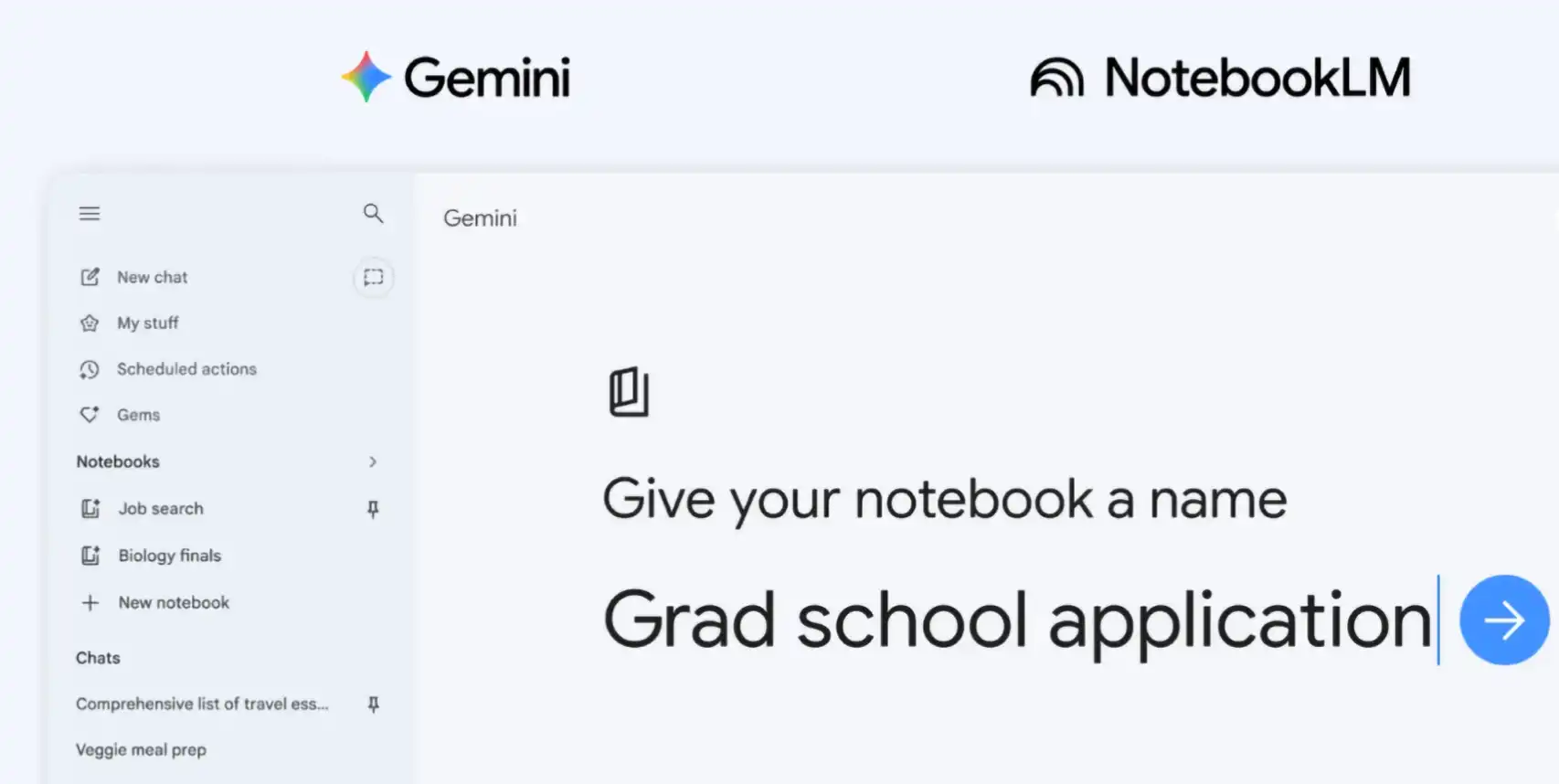
Google has introduced notebooks in Gemini, a new feature designed to organize conversations, files, and research into structured knowledge spaces. The update strengthens Gemini’s integration with NotebookLM and supports long-running projects such as studying, writing, and research planning.
The rollout begins this week for Google AI Ultra, Pro, and Plus subscribers on the web. Mobile and broader access will follow in the coming weeks.
What are Gemini notebooks and why did Google add them?
Google describes notebooks as personal knowledge bases that live inside Gemini. They help users keep related chats, sources, and instructions together in one place.
Previously, users could add NotebookLM as a source inside Gemini. Now, notebooks extend that connection. As a result, projects can move smoothly between both tools.
Users can create a notebook from the side panel. They can then group conversations by topic. They can also attach documents, PDFs, or notes. This gives Gemini stronger context while generating responses.
Importantly, notebooks support custom instructions. Therefore, users can shape how Gemini responds inside each workspace.
How do notebooks keep projects organized inside Gemini?
Notebooks act like structured folders for ongoing work. Instead of searching through old chats, users can reopen a notebook and continue instantly.
For example, a student preparing for exams can store lecture notes and research sources together. Later, Gemini can summarize the material or generate outlines from those sources.
Similarly, professionals managing research-heavy tasks can keep references centralized. This reduces repetition and improves workflow continuity.
Because sources remain attached to notebooks, Gemini uses them alongside web search results. Consequently, responses become more targeted and context-aware.
How does NotebookLM integration change the workflow?
Notebooks automatically sync between Gemini and NotebookLM. This creates a shared workspace across both applications.
If users upload sources in one app, they appear in the other. That continuity allows them to switch tools without losing progress.
NotebookLM also offers additional formats such as Video Overviews and Infographics. Users can start research in Gemini and expand it visually inside NotebookLM later.
For example, someone can upload class notes into a notebook. Next, NotebookLM can generate a Cinematic Video Overview. Then, the same material remains available inside Gemini for essay drafting.
This shared structure supports longer and more complex projects.
Who can access Gemini notebooks right now?
Google is rolling out notebooks first to Ultra, Pro, and Plus subscribers on the web. However, the company confirmed wider access is coming soon.
Mobile rollout will follow in the coming weeks. Expansion to more European regions and free-tier users is also planned.
Google described this release as an early step. Additional notebook features are expected later.
What makes notebooks important for long-term AI workflows?
Many AI tools handle short conversations well. However, managing ongoing projects remains difficult. Notebooks address this limitation by turning chats into structured knowledge spaces.
Users can store sources once and reuse them repeatedly. They can also keep related conversations grouped together.
As AI tools become central to research and learning, persistent workspaces are becoming essential. Gemini notebooks move the platform closer to that direction.
Google says it will continue expanding the feature over time. For now, notebooks mark a shift toward organized, cross-app knowledge management inside Gemini.