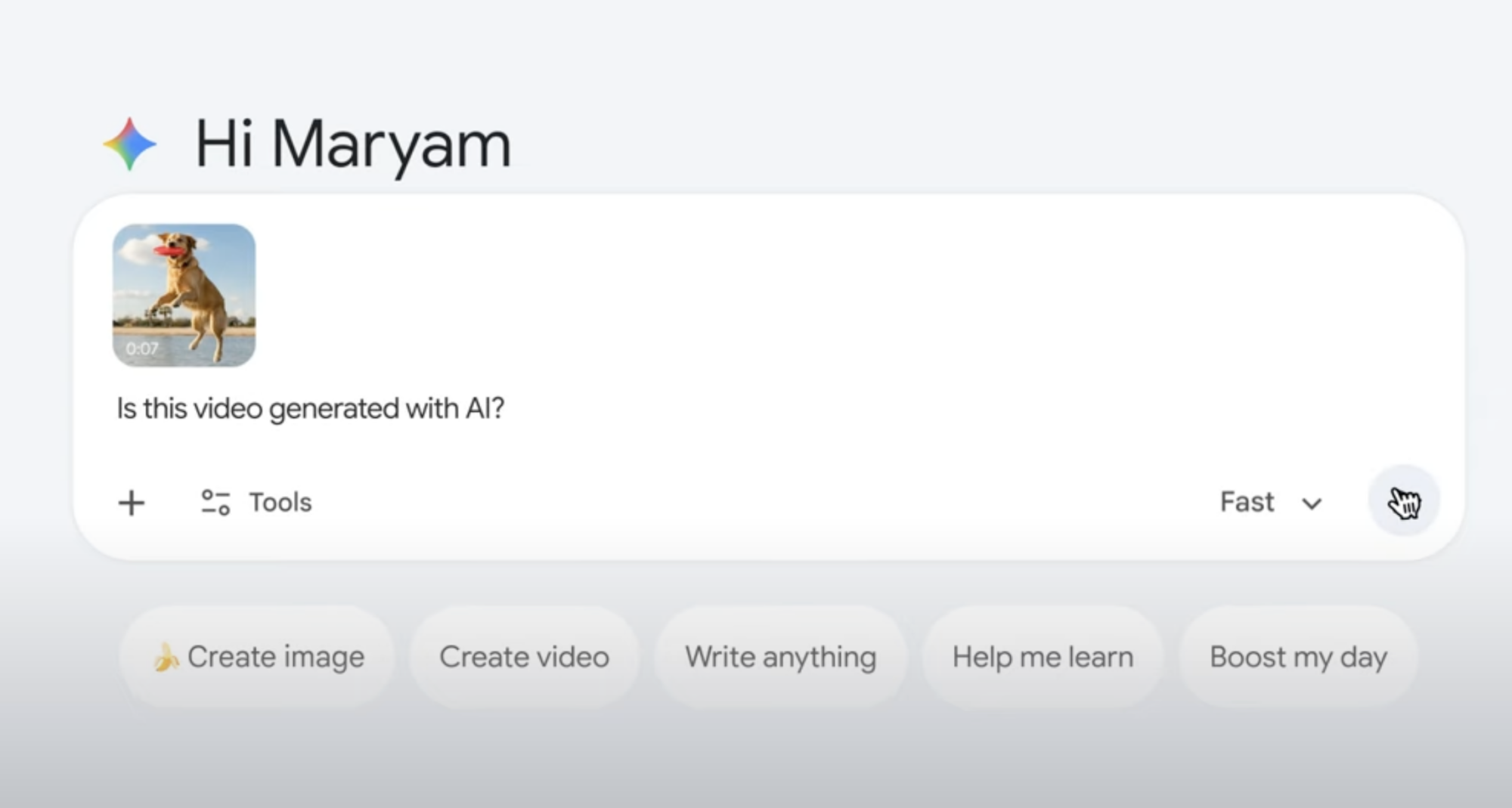
Gemini adds AI video verification inside the app
Google is expanding its content transparency push with a new Gemini feature. Users can now verify whether a video was generated or edited using Google AI. The tool works directly inside the Gemini app and aims to reduce confusion around synthetic media. As AI-generated videos flood the internet, this move adds clarity for everyday users.
Instead of guessing a video’s origin, users can now ask Gemini directly. This marks a practical shift in how AI platforms handle trust and accountability.
How Gemini detects AI-generated videos
The verification process is simple and fast. Users upload a video to the Gemini app and ask a question like, “Was this generated using Google AI?” Gemini then scans the file for SynthID. This watermark is invisible to humans but embedded into AI-generated content.
Gemini checks both the audio and visual layers. It does not rely on visuals alone. This makes detection more reliable, especially for edited or partially generated videos.
What SynthID results actually show
Gemini does not return a vague response. Instead, it provides context. The app can specify where AI-generated elements appear in a video. For example, it may flag AI-generated audio between specific timestamps while confirming that visuals remain untouched.
This approach helps users understand how a video was made. It also avoids false assumptions about fully synthetic content.
File limits and global availability
The feature supports video uploads up to 100 MB in size. Videos can be as long as 90 seconds. These limits make the tool practical for short clips shared online.
Google has also removed regional barriers. Both image and video verification now work in all countries and languages supported by the Gemini app. This global rollout signals Google’s intent to standardise AI transparency.
Why this matters for everyday users
AI-generated content is becoming harder to spot. Edited audio and synthetic visuals often look real. By bringing verification into Gemini, Google gives users a simple way to check authenticity.
This feature does not judge content. It only explains its origin. That clarity can help users make informed decisions while consuming digital media.