Nothing OS 4.0 Update Brings Fresh Icons and AI Dashboard
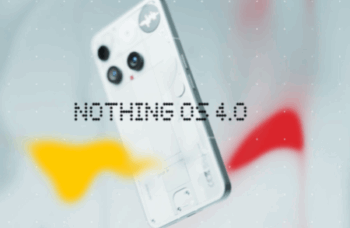
Nothing has started rolling out the stable Nothing OS 4.0 Update based on Android 16 for the Phone (3a) and Phone (3a) Pro. The update carries the version number Nothing OS B4.0-251118-1551, and the full rollout should finish within two weeks. However, the Phone (3a) Lite will get the update early next year, as announced earlier.
AI Features Arrive With Better Privacy Tools
The update introduces an AI usage dashboard that tracks large-model interactions inside Essential Space. It offers improved privacy transparency and shows how users engage with AI across apps. You can find it inside Settings under the Intelligence Toolkit.
Additionally, the update adds the ability to hide apps directly from the home screen and App Drawer. Users can now even control the search scope inside the App Drawer for better filtering.
New Widgets, Faster Apps, and Smarter Multitasking
Nothing OS 4.0 expands widget sizes for Weather, Pedometer, and Screen Time. It also brings 2×2 support for most Quick Settings tiles.
App optimisation now speeds up startup times, while Pop-up View supports two floating icons for quick switching between apps. The update makes multitasking smoother and more consistent.
Essential Innovations Roll Out With Playground (Alpha)
The new Flip to Record update allows users to take photos and add notes while recording. All content saves in Essential Space for easy access.
Nothing also introduces Playground (Alpha), which lets users experience community-crafted creations like Essential Apps, camera presets, and EQ profiles. Essential Apps can be downloaded now in their early preview form.
Visual Refresh and Extra Dark Mode
Nothing has redesigned its system app icons and updated status bar icons for a cleaner look. Two fresh lock screen clock faces join the Customisation menu.
Extra Dark Mode also debuts, offering a deeper visual experience for users who prefer low-light interfaces. Certain animations have also been refined for smoother transitions.
Glyph Updates for Better Control
Users can now choose whether Flip to Glyph switches the device to Silent or Vibrate mode. Glyph Progress also supports Android 16 Live Update notifications for improved compatibility with third-party apps.
Camera Gets New Presets, Filters, and Motion Photos
The camera app receives new presets inspired by popular styles and refreshed UI interactions. Filters now include intensity adjustment and a new “Stretch” effect. Motion Photos support audio and longer recording times.
New Nothing-themed watermarks and artistic frames also join the update, giving creators more customisation options.