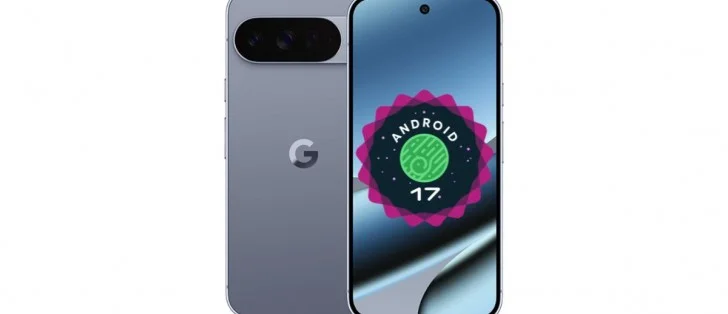
Key Highlights
- Android 17 Beta 3 rolls out to supported Pixel devices
- Expanded dark theme controls and App Bubbles now available
- Screen recording redesigned with new interface tweaks
- Multiple stability, camera, Bluetooth, and reboot issues fixed
Google has released Android 17 Beta 3 for supported Pixel devices, bringing interface refinements, new customization options, and critical bug fixes. The update continues the Android 17 testing cycle and prepares the platform for broader stability ahead of its final release.
The latest beta arrives about a month after the previous version and focuses strongly on usability improvements and system reliability. It also activates several features announced earlier but not fully available until now.
What is Android 17 Beta 3
Android 17 Beta 3 is the third public testing release of the upcoming Android version. It targets developers and early adopters using Pixel hardware.
This stage is important because it usually introduces platform stability improvements. It also finalizes several user-facing features before the stable rollout.
With this release, Google continues refining Material design behavior, notification handling, and camera reliability while reducing system crashes reported in earlier builds.
Which Pixel devices support the new update?
The update is available for multiple Pixel smartphones and tablets, including:
Pixel 6 series
Pixel 7 series
Pixel Tablet
Pixel Fold
Pixel 8 series
Pixel 9 lineup
Pixel 10 lineup
Users enrolled in the Android Beta Program can install the update over the air.
What new features arrive in Android 17 Beta 3
Android 17 Beta 3 introduces several visible interface improvements and customization upgrades.
Expanded dark theme controls
Users now get per-app Expanded Dark Mode adjustments. This allows better control over how individual apps behave in dark environments.
Earlier versions applied dark mode more broadly. Now, users can fine-tune visibility and contrast on a per-app basis.
App Bubbles now fully available
App Bubbles are now live across supported apps.
Users can long-press an app icon to enable floating conversation-style overlays. These overlays improve multitasking during chats and quick interactions.
This feature was announced earlier but becomes functional in this release.
Screen recording gets a redesign
The screen recording interface receives a refreshed layout.
The redesign improves usability and makes controls easier to access during recording sessions. It also aligns the tool with newer system UI standards introduced in recent Android builds.
Photo Picker customization expands
Developers can now configure Photo Picker layouts.
Supported aspect ratios include:
1:1 square
9:16 portrait
This change improves app compatibility for creators and social media workflows.
Widget panels now include system blur
The new Beta 3 introduces blur effects in widget panes.
This visual change improves depth perception across the interface. It also aligns with Material design updates across recent Android versions.
Quick Settings toggles are more flexible
Wi-Fi and mobile data toggles are now separated again in Quick Settings.
This change restores faster connectivity switching for users who rely on manual network control.
Pixel Launcher shortcut customization returns
Material 3 Expressive search bar styling is no longer present in the launcher.
However, shortcut customization options replace it. This allows users to personalize launcher actions directly from the home screen.
What bug fixes does Android 17 Beta 3 include
Stability improvements are a major focus in this release.
Google resolved several issues affecting daily usability, including:
Unexpected device reboots
System freezes during idle use
Camera switching failures on telephoto lenses
Bluetooth pairing delays
Lock screen responsiveness after Android Auto disconnect
Battery charging slowdowns near 80 percent limit
Notification behavior inconsistencies
Status bar icon disappearance bugs
The update also fixes accessibility regressions and screen flickering problems that previously interrupted app usage.
Together, these fixes improve reliability across Pixel devices running the beta.
Does Android 17 Beta 3 improve camera stability
Yes. Camera transitions between ultra-wide and wide lenses now behave more smoothly.
Earlier builds sometimes caused stuttering or switching failures. Those issues are resolved in this release.
Additionally, telephoto lens switching problems reported on select Pixel devices have been fixed.
What changes affect notifications and system performance
Android 17 Beta 3 improves notification reliability.
Silent notifications no longer trigger unexpected sounds during heavy notification activity. Notification dismissal behavior is also more consistent.
Meanwhile, system UI loading delays after reboot are resolved. This prevents launcher and navigation elements from disappearing temporarily after restart.
These fixes directly improve everyday device usability.
What developers should know about Android 17 Beta 3
Developers benefit from Photo Picker layout controls and improved process lifecycle stability.
Earlier lifecycle regressions caused random app restarts in testing environments. These issues are now addressed.
As a result, app testing on Android 17 becomes more predictable and reliable.
Conclusion
Android 17 Beta 3 strengthens platform stability while introducing meaningful customization upgrades across supported Pixel devices. With App Bubbles activation, improved dark theme controls, and system-level fixes, Android 17 Beta 3 signals that the operating system is moving closer to its final release stage.